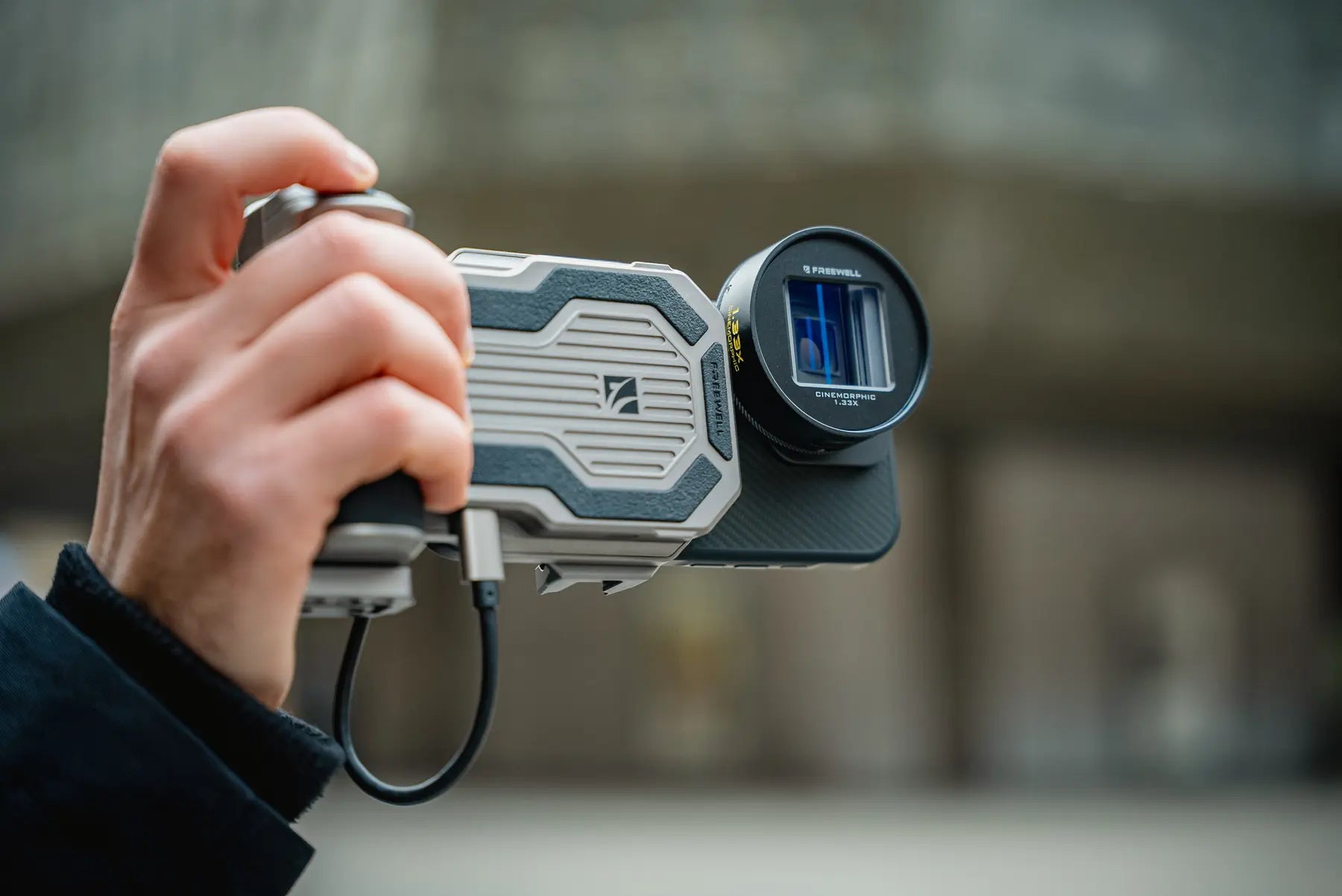
PRO SSD-hub

Reguliere prijs $149.99 USD
SKU: FW-PGHB-R-E

Pro SSD Hub voor smartphones die externe opname ondersteunt (iPhone 15 Pro & boven) tot 8TB M.2 SSD's, 10 Gbps USB-C-overdracht, 60W opladen, ARCA-montage en Bluetooth-afstandsbediening – perfect voor creatievelingen die veel onderweg zijn.

SSD aanbeveling: Gebruik een M.2 SSD met <Stroomverbruik van 5W; SSD's met een verbruik van meer dan 5W hebben een externe voedingsbron nodig.

Breedte van de telefoonklem: 72-82 mm; Dikte: 6-11,5 mm

###ssd
Reguliere prijs $149.99 USD
###hub
Reguliere prijs $19.99 USD
###ssd
$149.99 USD
PRO SSD-hub
Functies
  • SSD-hub voor smartphones die externe opname ondersteunt: Breid de opslagruimte van je smartphone uit met ondersteuning voor M.2 SSD's tot 8 TB, compatibel met 2280-, 2260-, 2242- en 2230-interfaces – ideaal voor het beheren van grote databestanden in opstellingen voor opnames met hoge resolutie. Compatibel met iPhone 15 Pro & boven.
  • USB-C-poorten met meerdere aansluitmogelijkheden: Beschikt over drie speciale USB-C-poorten – voor SSD-data, accessoires zoals draadloze audio en snel opladen met 60 W – waardoor uw smartphone verandert in een professionele hub.
  • Koude schoen & Compatibiliteit met ARCA-montagesystemen: Uitgerust met cold shoe- en ARCA-bevestigingen voor eenvoudige bevestiging van lampen, microfoons en statieven, wat zorgt voor een stabiele en aanpasbare opstelling voor makers.
  • 10 Gbps gegevensoverdracht voor snelle prestaties: De snelle Type-C-poort maakt snelle gegevensoverdracht mogelijk, ideaal voor het verwerken van grote videobestanden of uitgebreide fotobibliotheken.
  • Handsfree Bluetooth-bediening: Inclusief een Bluetooth-afstandsbediening met een bereik van 15 meter, waarmee je probleemloos foto's en video's kunt maken en zo veelzijdigheid biedt bij het creëren van content op je mobiele telefoon.
  • Voor Bluetooth-afstandsbediening (batterij niet meegeleverd vanwege douanebeperkingen): Het vereist een lithiumbatterij CR1632.
In de doos?
  • Freewell Pro SSD Hub, SSD Storage Solution for iPhone, Pro Res Recording.
    Pro SSD-hub
  • USB C Cable for Freewell Pro SSD Hub
    Oplaadkabel
  • Freewell Pro SSD hub user manual.
    Gebruikershandleiding
Tijd beperkte garantie

Koop met vertrouwen. Elke Freewell Pro SSD Hub wordt ondersteund door een 12 maanden Garantie tegen fabricagefouten en kwaliteitsgebreken.

Combineert goed met
Freewell Pro SSD Hub mounted to a smartphone filmmaking rig with an anamorphic lens and wireless microphone

Mobile recording. Unrestricted.

Your phone captures ProRes.Give it room to breathe.

Record to your own M.2 SSD, keep the phone powered, connect wireless audio and mount the complete rig around one compact hub.

Built for external smartphone recording iPhone 15 Pro & above
8TBM.2 SSD support
10GbpsUSB-C data transfer
60WPD charging
Dedicated USB-C ports

The complete signal path

One hub. Three jobs.Zero cable chaos.

Storage, power and audio each get a dedicated connection, keeping the mobile filmmaking workflow clear from setup to final take.

Smartphone filmmaking rig using the Freewell Pro SSD Hub while recording outdoors
10Gbps data path

Apple ProRes / external media

Keep the detail. Skip the storage ceiling.

Record high-resolution footage to your own M.2 SSD instead of filling the phone. The 10Gbps USB-C data path is built to move large video files without slowing the shoot down.

Three USB-C ports

Every port has one clear purpose.

Three dedicated USB-C ports on the Freewell Pro SSD Hub
01 / DATA

External M.2 SSD

Move high-resolution video through the 10Gbps USB-C data path.

Freewell Pro SSD Hub PD60W port with a USB-C cable connected
02 / POWER

60W PD charging

Power the phone and support longer recording sessions.

Wireless microphone receiver connected to the Freewell Pro SSD Hub rig
03 / ACCESSORY

Wireless audio

Keep a compatible receiver connected within the same rig.

Install your own drive

One hub.Four M.2 sizes.

Choose the capacity and form factor that fits your workflow. The Pro SSD Hub accepts M.2 2230, 2242, 2260 and 2280 SSDs up to 8TB.

Best with ≤5W M.2 SSDsDrives above 5W require external power.
Freewell Pro SSD Hub opened to show its internal M.2 SSD compartment
2280M.2

Full-size form factor

exFAT

Before the first recording

Format the SSD for your phone.

For iPhone compatibility, prepare the drive as exFAT. Always back up existing files first because formatting erases the SSD.

Freewell Pro SSD Hub on a complete smartphone filmmaking rig at sunset

A rig that moves with the shot

Handheld now.Locked down next.

ARCATripod-ready base
Cold shoeLight or microphone
1/4″More rigging options

Built for the field

The setup changes. The hub stays.

Freewell Pro SSD Hub held in a compact handheld filming setup
01

Handheld freedom

Storage, power and sound kept close to the phone.
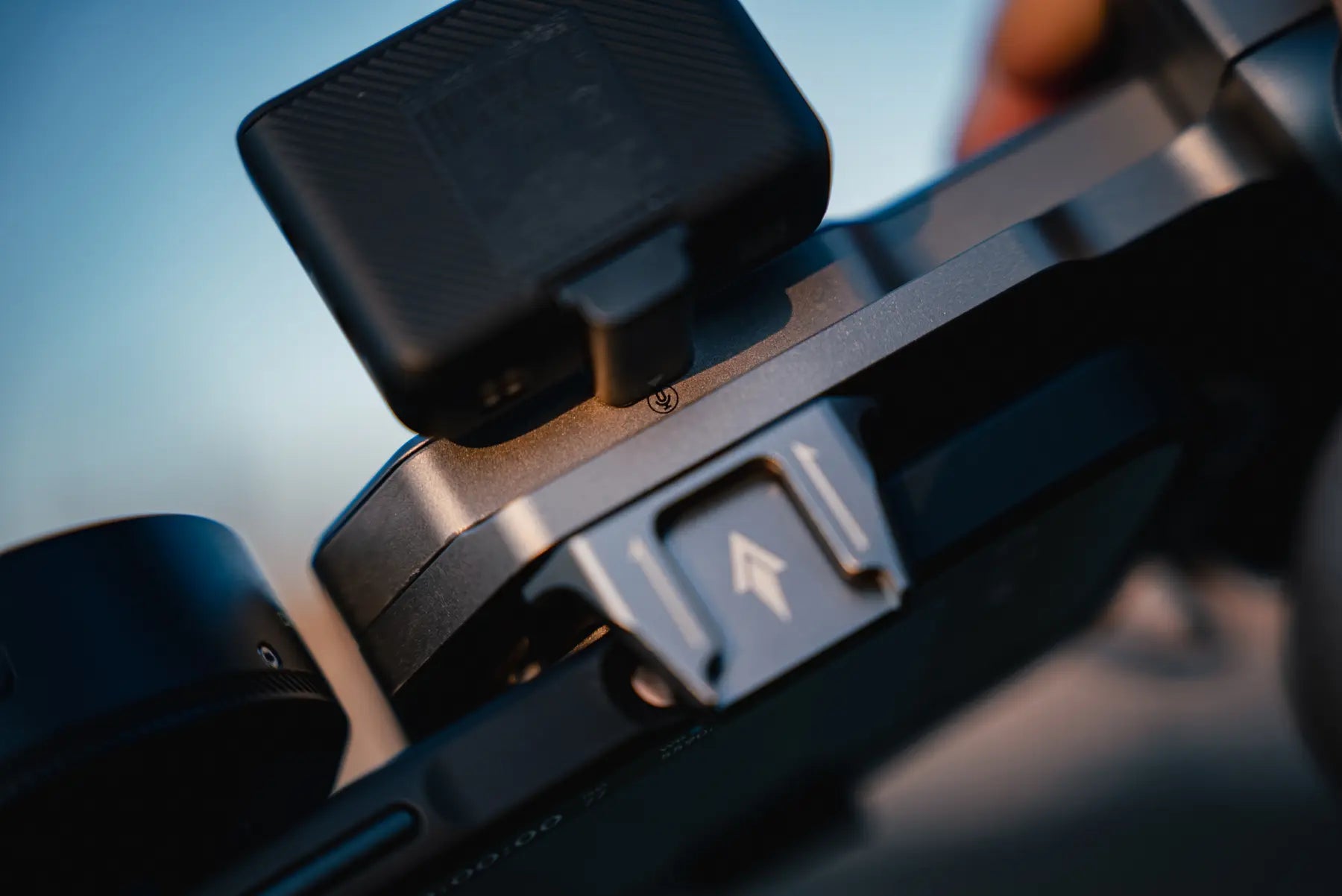
Accessory attached to the cold shoe of the Freewell Pro SSD Hub
02

Accessory ready

Add the microphone or light the scene needs.
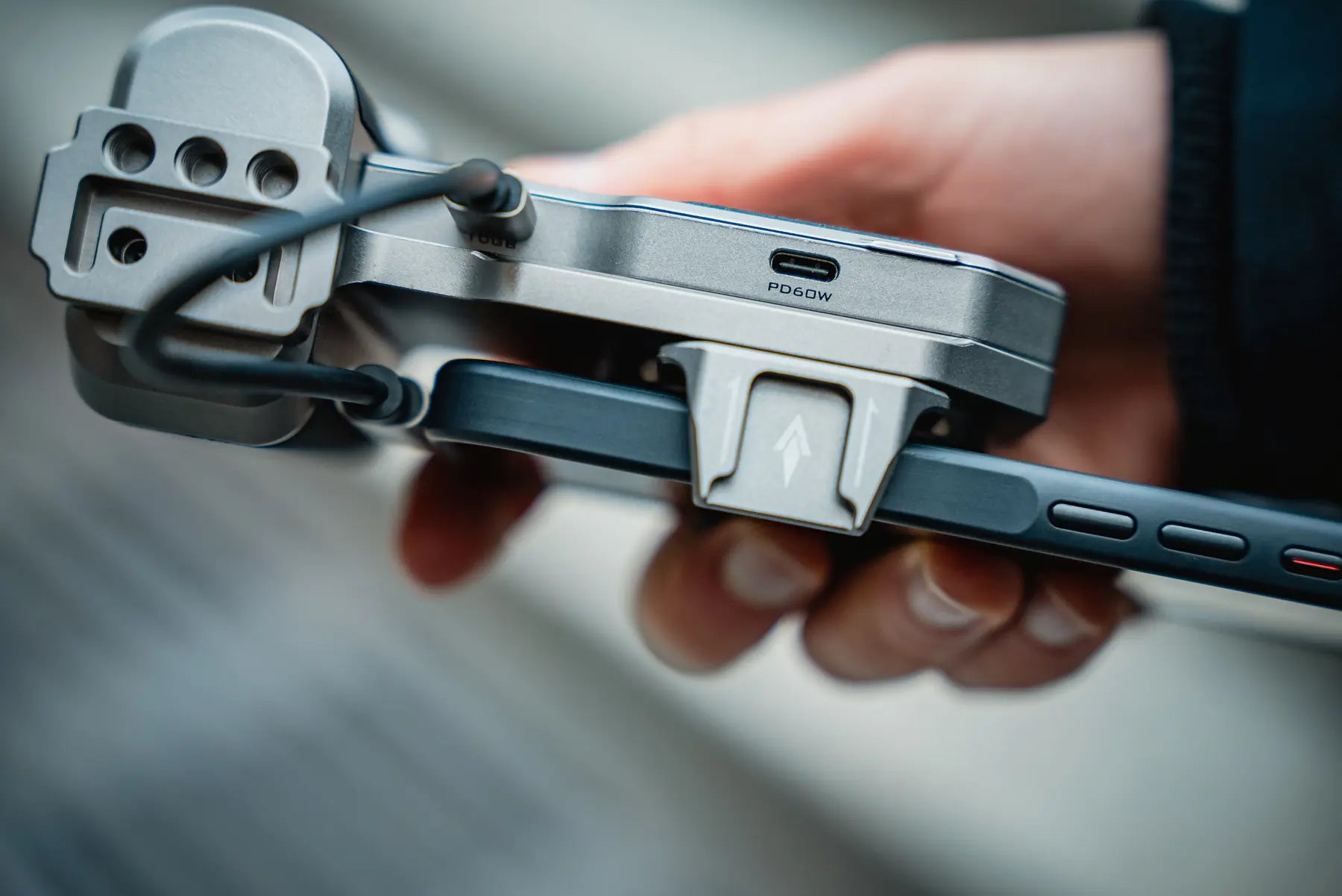
Freewell Pro SSD Hub clamped securely around a smartphone
03

Secure phone clamp

Fits phones 72–82mm wide and 6–11.5mm thick.

Thumb pressing the camera button on the Pro SSD Hub Bluetooth remote

Bluetooth shutter

Step back.Stay in control.

Trigger a photo or video from up to 15 meters away. Useful for locked-off shots, solo filming and moments when touching the rig would disturb the frame.

15mListed control range
Requires one CR1632 battery. Battery is not included.

Check the recording chain

Built for phones that record to external storage.

The hub provides the connection and storage path. The phone, recording format and camera app must also support external recording.

APPLE

iPhone 15 Pro & above

For supported Pro models and external recording workflows.

SAMSUNG

S25 Ultra & above

Currently listed by Freewell for compatible external recording.

OTHER USB-C PHONES

Confirm before recording

Check external media support in both the phone and camera app.

72–82mmPhone width
6–11.5mmPhone thickness

Measure with the case installed if you plan to keep it on.

Pro SSD Hub FAQ

Before you build the rig.

Clear answers about iPhone ProRes recording, Android compatibility, M.2 SSD requirements, power and setup.

01What does the Freewell Pro SSD Hub do?

It combines external M.2 SSD storage, 10Gbps USB-C data transfer, 60W PD charging, an accessory connection, a phone clamp and multiple mounting options in one compact smartphone filmmaking hub.

02Can I record Apple ProRes directly to an external SSD?

Yes. The Pro SSD Hub is designed for smartphones that support external recording, including iPhone 15 Pro and later Pro models listed by Freewell. Your phone, recording format and camera app must support recording to external media.

03Does the Pro SSD Hub work with Android phones?

Freewell currently lists Samsung S25 Ultra and above. For any other USB-C phone, confirm that the phone and your camera app support external recording before use.

04Which M.2 SSD sizes are supported?

The hub supports M.2 2230, 2242, 2260 and 2280 form factors, with capacity up to 8TB.

05What SSD power rating should I use?

For the simplest setup, use an M.2 SSD with power consumption of 5W or less. An SSD that draws more than 5W requires an external power source.

06How should I format the SSD for an iPhone?

Use exFAT when preparing the SSD for iPhone compatibility. Back up any existing files before formatting because formatting erases the drive.

07Is an M.2 SSD included?

No. You install your own compatible M.2 SSD. The listed box contents are the Pro SSD Hub, charging cable and user manual.

08What battery does the Bluetooth remote use?

The remote uses one CR1632 lithium battery. The battery is not included because of customs shipping restrictions. The listed control range is up to 15 meters.

09What phone sizes fit the built-in clamp?

The clamp supports phones 72–82mm wide and 6–11.5mm thick. Measure the phone with its case installed if you plan to keep the case on.

Complete Freewell Pro SSD Hub smartphone filmmaking setup

Capture. Store. Create.

More room for the story.

External storage, continuous power and a cleaner mobile filmmaking workflow.